PWA install experience is top-notch (on desktop)
Hear me out: There is no better install story than the one you get for PWAs (progressive web apps) on Mac OS, at least if you’re using a Chromium-based browser.
PWAs have come a long way, and I have been enjoying installing and using PWAs on Mac OS quite a bit lately. I use internal productivity tools, messenger apps, social media apps (like phanpy) as well as media players like YouTube as PWAs these days.
I’ll take the YouTube progressive web app (https://youtube.com) as an example.
While watching a clip, hit the install button (on the right-hand side in the URL bar), confirm – and boom 💥, you’re done.
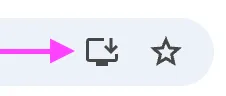
From now on, you can open the YouTube app using Spotlight/Raycast, keep it in the dock etc – whatever you do with “regular” apps. Your still on the same video page as before the install, still logged in etc. And – this one blows my mind: the video even continues to play during install!
Chrome will now show button “Open in app” if the PWA is already installed:

I can’t think of any other install process that smooth.
A word on Vivaldi
Vivaldi browser does not expose the PWA icon next to the URL. To install a website as a PWA, right-click on the tab and select “Install [app name]” (or “Open [app name]” if it’s already installed). See Vivaldis help site for more info.
PWA install experience on mobile
Install experience on mobile has improved, but is not nearly as great as on desktop. I won’t go into great detail here, as this focuses on desktop, but I have hopes that the situation might improve with the Web Install API (behind origin trial in Edge). Bruce Lawson also has an article on the Web Install API, worth reading!